
Using the Electrum Wallet

Using the Electrum Wallet? It's not rocket science, thank goodness! Set up is a breeze: download it, jot down that seed phrase, and you're in. You get total control over your private keys and a bunch of security features, which is nice—unless you enjoy living dangerously. Just sync with Electrum servers for updates. Oh, and don't forget about customizable fees and lightning-fast transactions. Want to know how it all works? Stick around for more insights.

Using the Electrum Wallet can feel like diving into a world where security reigns supreme, yet simplicity is often sacrificed. It's like trying to navigate a maze of features designed to keep your Bitcoin safe but at the cost of your sanity.
Sure, you have full control over your private keys, which is great if you're a security fanatic. But let's face it, most people just want to send and receive Bitcoin without a PhD in cryptography.
Full control over your private keys is fantastic for security enthusiasts, but most just want a hassle-free Bitcoin experience.
Electrum supports multisignature setups, so if you're into sharing control, that's a plus. But then there's two-factor authentication. Fun, right? Just one more hurdle to jump through before you can even access your funds.
And if you lose your device? No worries! Your seed phrase recovery will save the day, assuming you remembered to write it down and not use it as a bookmark.
Setting up the wallet is straightforward—download it from the website or an app store, generate a seed phrase, and voilà! You're in.
But don't get too comfortable. Synchronizing with Electrum servers is a must for real-time updates, or you could be living in the dark ages of blockchain. Additionally, Electrum's built-in security features ensure your Bitcoin remains protected against unauthorized access.
And if you're feeling ambitious, you can manage multiple wallets in one installation.
Let's talk transactions. SPV verification makes transactions faster, but good luck figuring out the customizable fees. It's like playing a game of "how much am I willing to spend?" Additionally, you can set transaction fees based on urgency, which adds flexibility to your spending.
For maximum security, consider pairing Electrum with a hardware wallet that stores your private keys offline, completely isolated from potential online threats.
Electrum is also compatible with the Lightning Network for instant transactions. That's cool, but if you're not tech-savvy, don't expect a smooth ride.
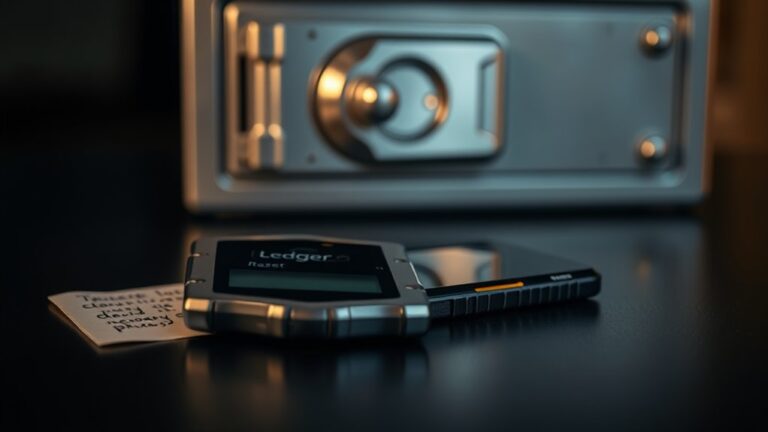
The wallet is cross-platform and plays nice with hardware wallets like Ledger and Trezor, which is nice for those who enjoy extra layers of protection.
Just keep in mind, it only supports Bitcoin. So, if you're into altcoins, you're out of luck.
Frequently Asked Questions
Is Electrum Wallet Compatible With All Operating Systems?
Electrum Wallet isn't exactly the life of the OS compatibility party.
Sure, it's got Windows, Linux, and macOS covered, but if you're on iOS, tough luck.
Android users get a nod, but expect some hiccups.
It plays nice with hardware wallets, which is cool.
But if you're rocking an ARM chip, you're golden.
Just remember, not every OS is invited to this particular bash—so check before you plunge in!
Can I Recover My Wallet if I Lose My Device?
Losing a device can feel like losing your wallet—panic mode activated!
But don't lose hope just yet. If you've got your seed phrase stored safely, you might just be in luck.
Sure, some complications can arise, like mix-ups with word order or typos, but it's not impossible.
If that seed phrase is floating around, you can potentially recover your funds.
Just don't expect a miracle—check those details closely!
Does Electrum Support Hardware Wallets?
Electrum does support hardware wallets—great news for anyone who likes their crypto safe and sound.
Coldcard, Trezor, Ledger, and KeepKey are all in the mix. But here's the catch: no multi-account magic. Each one needs its own setup.
Derivation paths? They better match or you're locked out of your funds.
Sure, it's got cool features like multisig and coin control, but misconfigure, and you're in trouble.
Welcome to the world of crypto!
How Can I Update the Electrum Wallet?
Updating the Electrum wallet? Simple enough. Just grab the latest version from electrum.org.
Avoid the sketchy sites; they're like digital quicksand. Install it—your old files will stick around unless you decide to toss them.
The installer will replace the outdated software, but your wallet data? Safe and sound.
And remember, if you spot fake update prompts, run! No one wants their funds swiped by a scam.
Stay smart. Stay secure.
Are There Any Fees for Using Electrum Wallet?
Yes, there are fees when using the wallet.
It's all about how much data your transaction takes up and the network's mood. Think of it like a cover charge; higher demand equals higher fees.
You can tweak them, but good luck maneuvering that. Manual adjustments? Sure, if you want to play with fire.
Or just let the app decide based on current conditions. Either way, you'll probably pay something.
Welcome to crypto!